October 14, 2025
Qwen3-VL, the most powerful vision language model in the Qwen series is now available on Ollama’s cloud. The models will be made available locally soon.
Model capabilities
- Visual Agent: Operates PC/mobile GUIs—recognizes elements, understands functions, invokes tools, completes tasks
- Visual Coding Boost: Generates Draw.io/HTML/CSS/JS from images/videos
- Advanced Spatial Perception: Judges object positions, viewpoints, and occlusions; provides stronger 2D grounding and enables 3D grounding for spatial reasoning and embodied AI
- Long Context & Video Understanding: Native 256K context, expandable to 1M; handles books and hours-long video with full recall and second-level indexing
- Enhanced Multimodal Reasoning: Excels in STEM/Math—causal analysis and logical, evidence-based answers
- Upgraded Visual Recognition: Broader, higher-quality pre-training is able to recognize everything more types of objects—celebrities, anime, products, landmarks, flora/fauna, etc
- Expanded OCR: Supports 32 languages (up from 19); robust in low light, blur, and tilt; better with rare/ancient characters and jargon; improved long-document structure parsing
- Text Understanding on par with pure LLMs: Seamless text–vision fusion for lossless, unified comprehension
Get started
Download Ollama
Run the model
ollama run qwen3-vl:235b-cloud
Prompt the model with a message and image path(s). It is possible to use multiple images and drag and drop in images to make it easier to automatically type the file path.
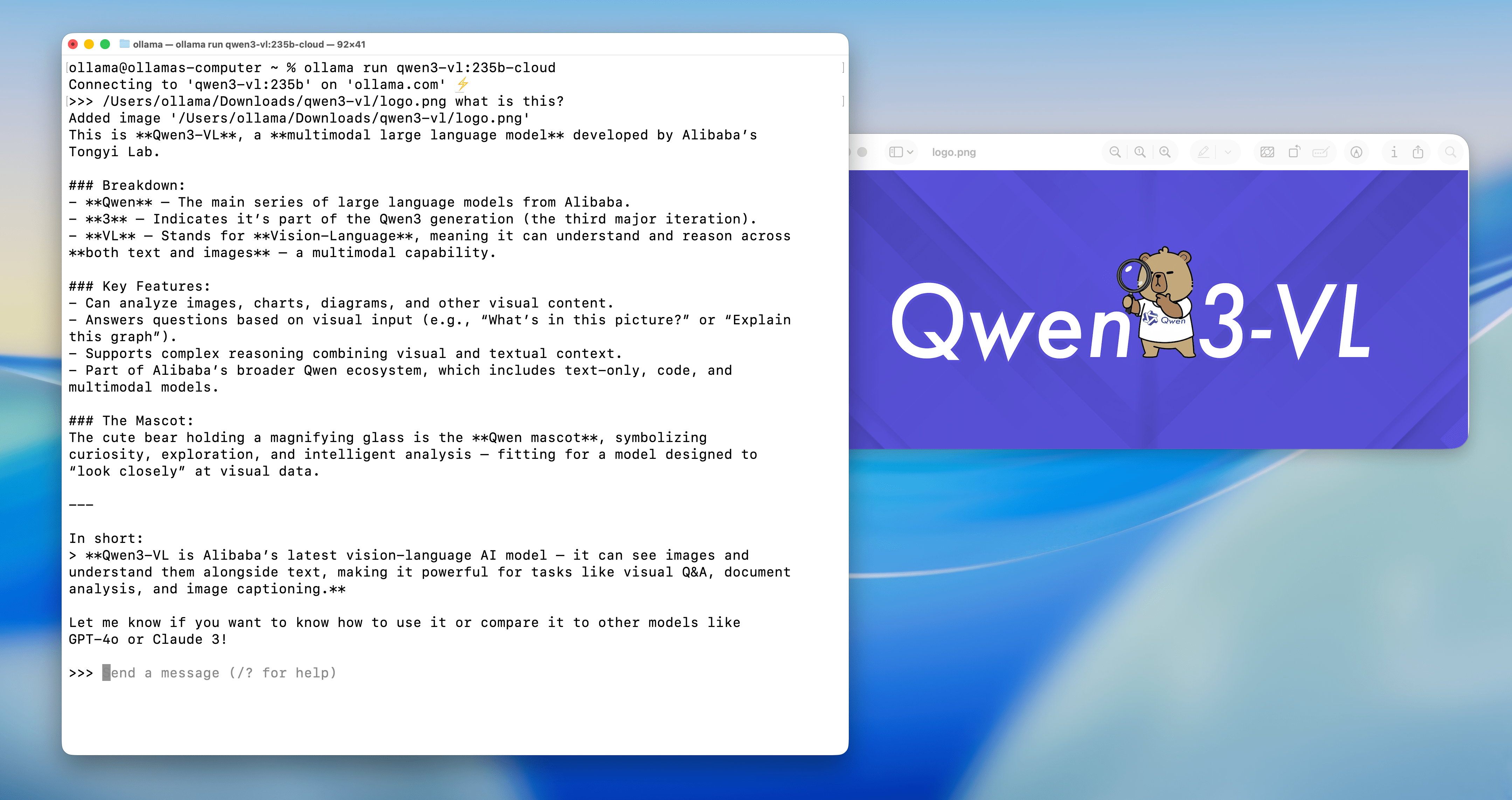
Examples
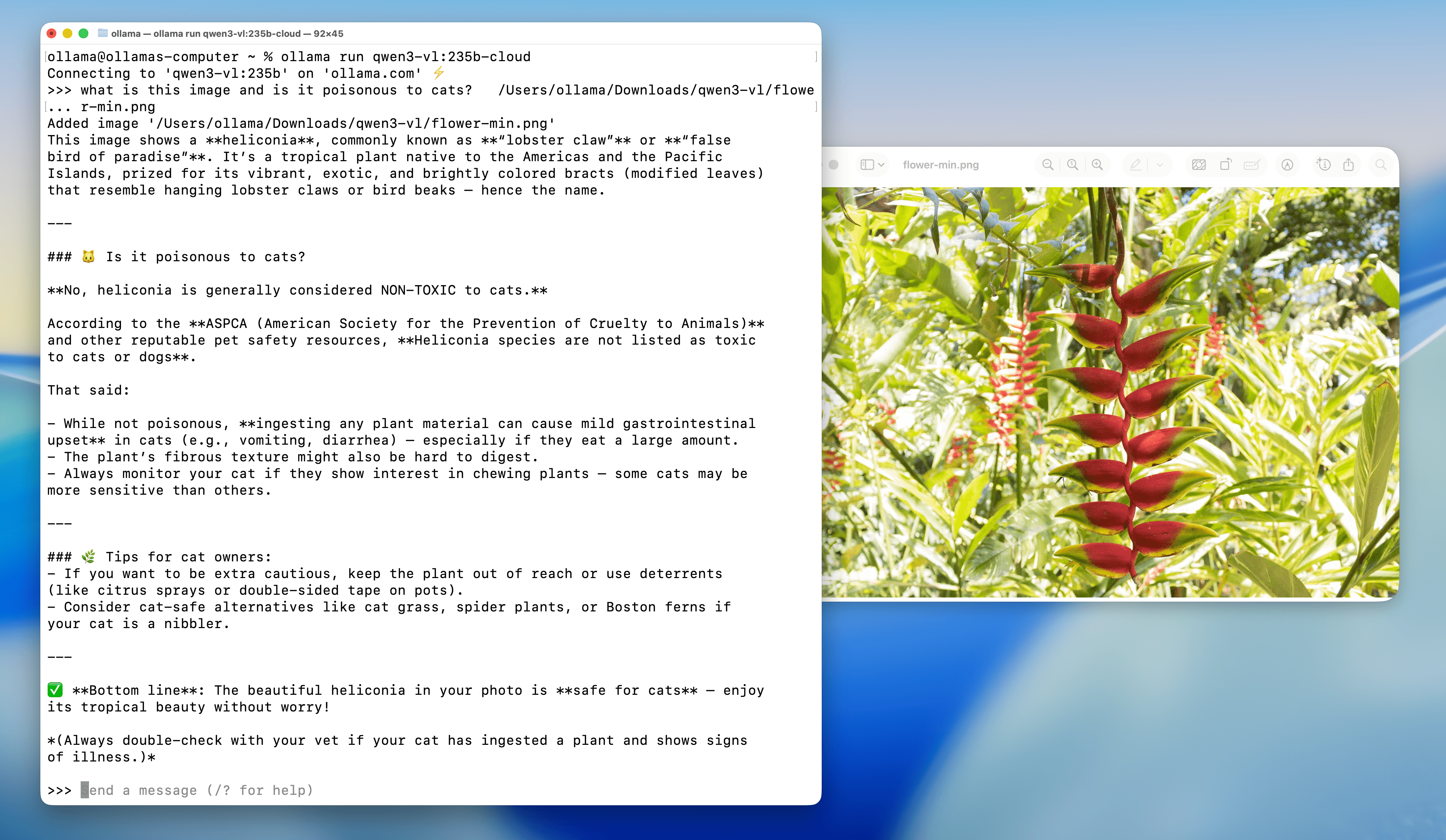
Flower identification
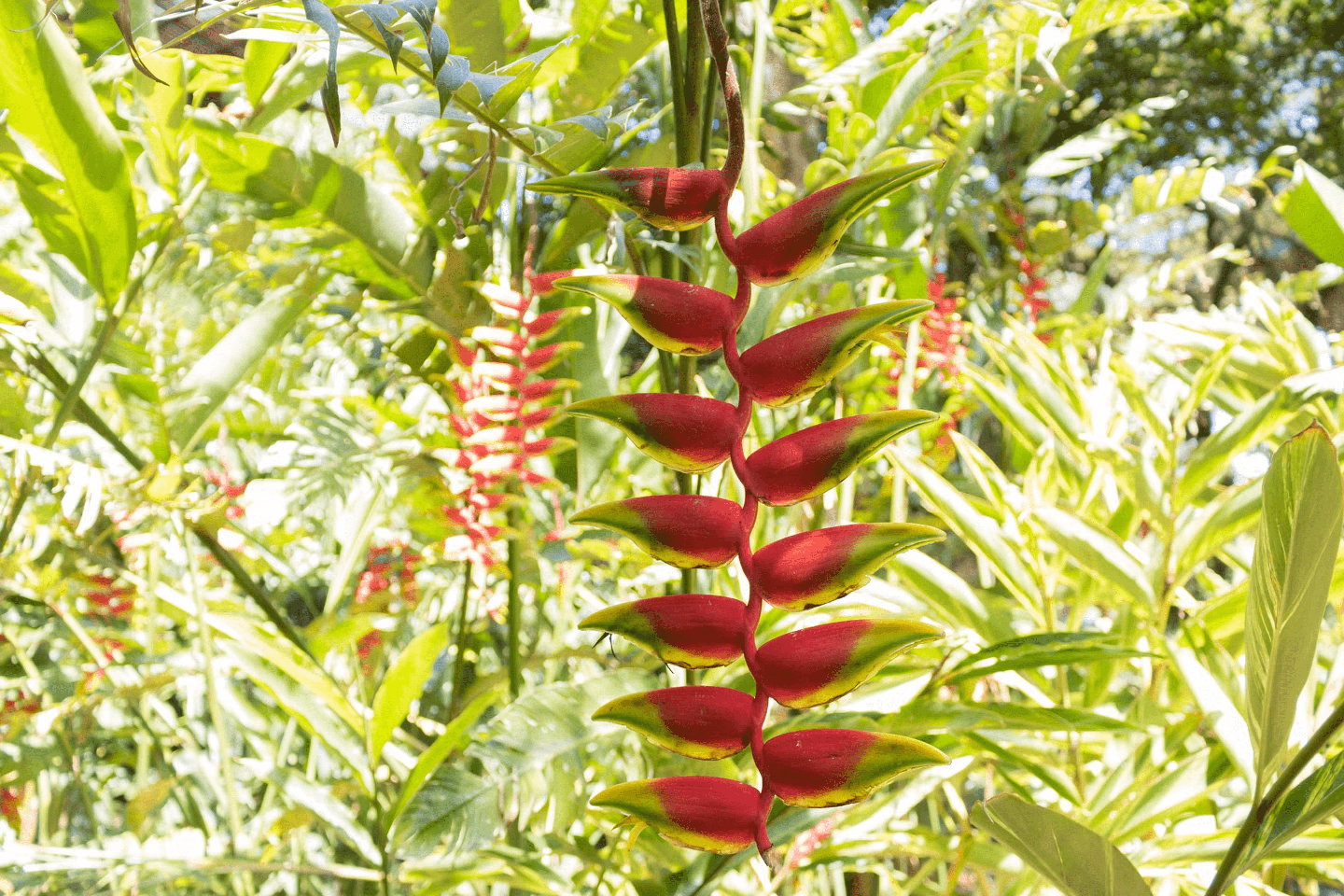
Prompt: What is this flower? Is it poisonous to cats?
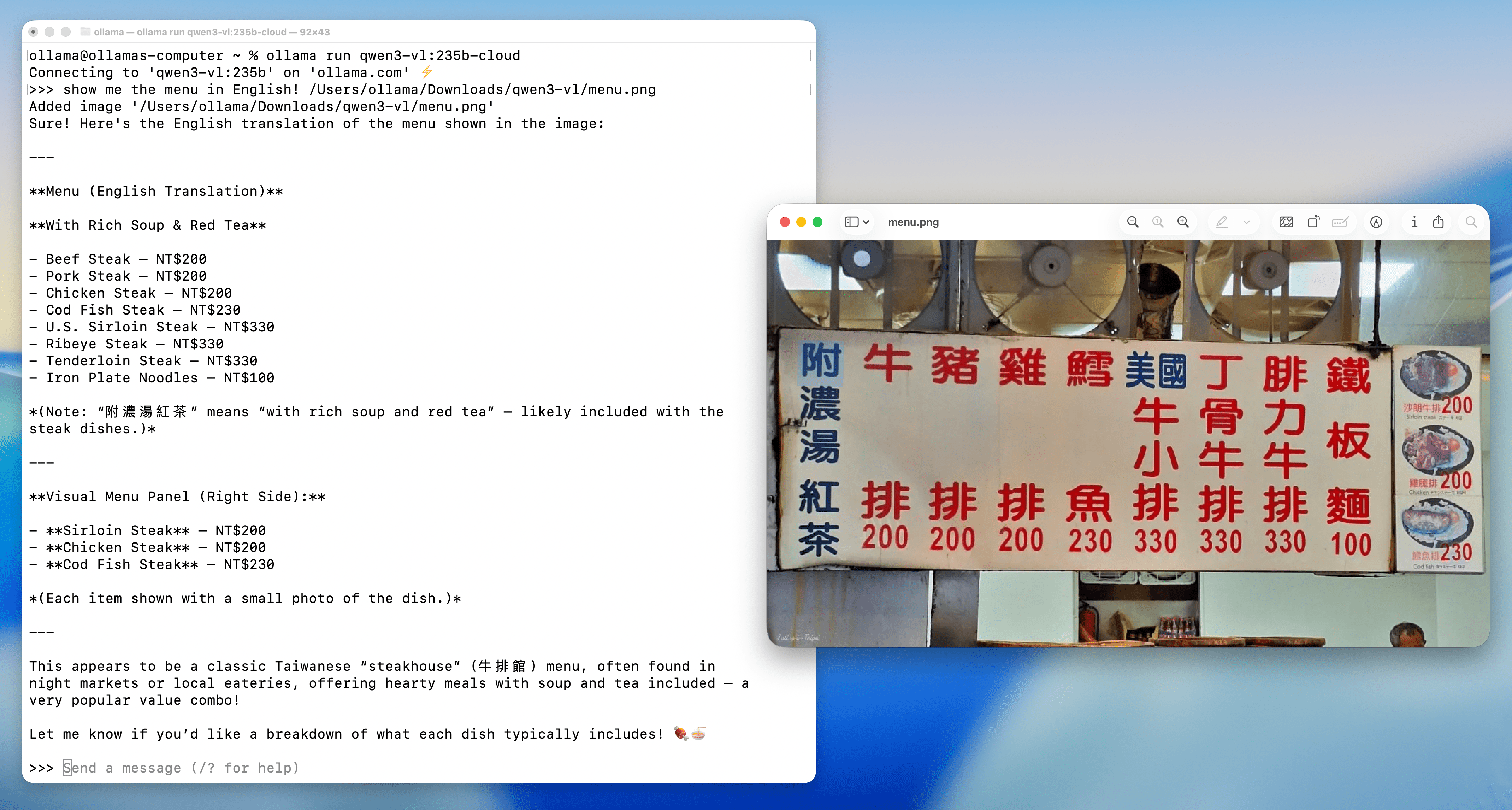
Menu understanding and translation
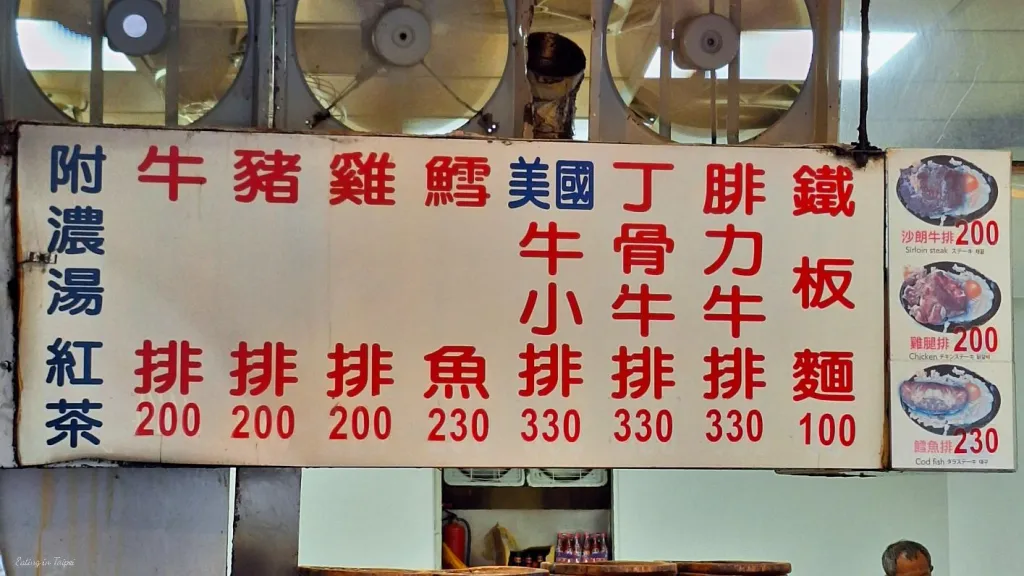
Prompt: Show me the menu in English!
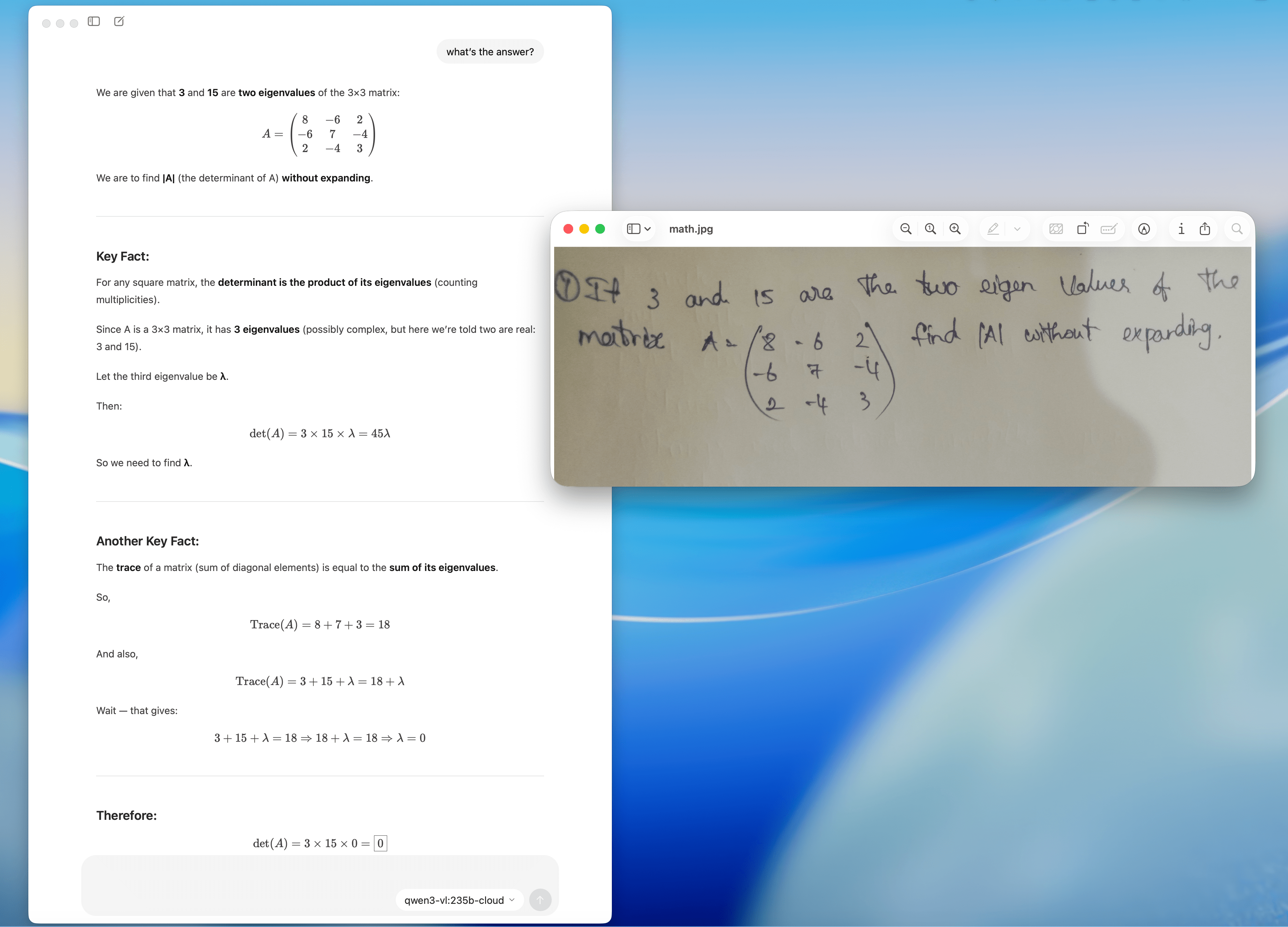
Basic linear algebra
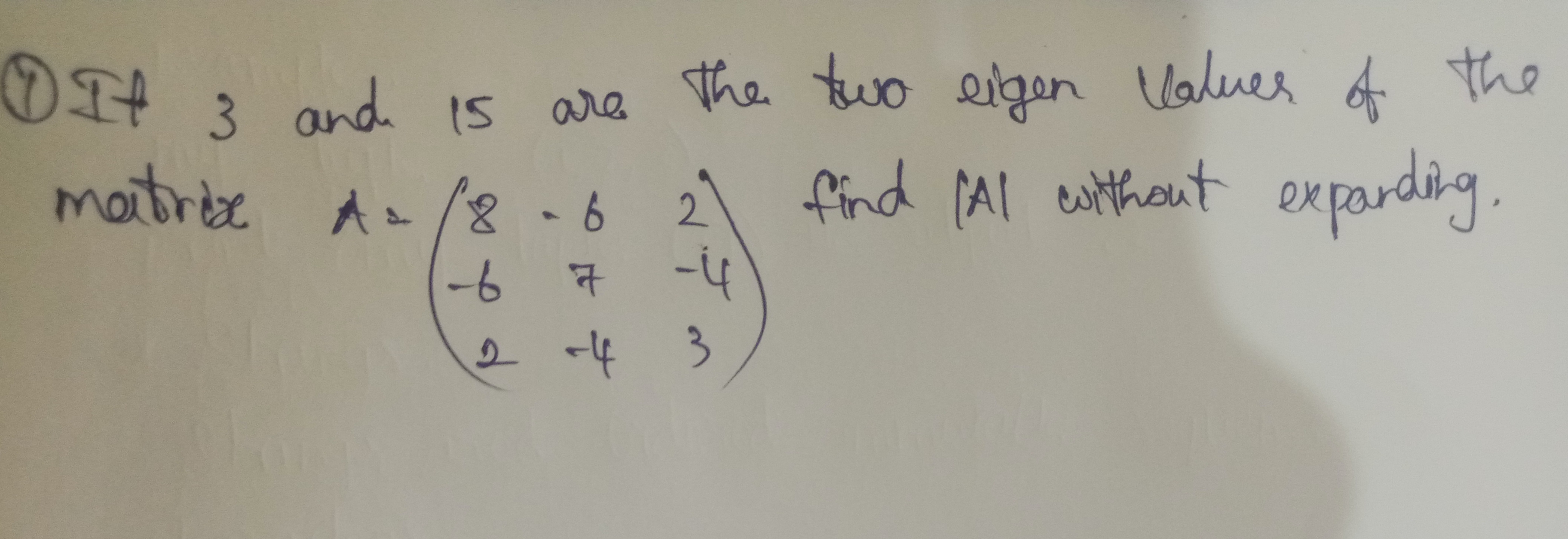
Prompt: what’s the answer?
Using Qwen3-VL 235B
You can use Ollama’s cloud for free to get started with the full model using Ollama’s CLI, API, and JavaScript / Python libraries.
JavaScript Library
Install Ollama’s JavaScript library
npm i ollama
Pull the model
ollama pull qwen3-vl:235b-cloud
Example non-streaming output with image
import ollama from 'ollama'

const response = await ollama.chat({
  model: 'qwen3-vl:235b-cloud',
  messages: [{
	  role: 'user',
	  content: 'What is this?',
	  images: ['./image.jpg']
	  }],
})
console.log(response.message.content)
Example streaming the output with image
import ollama from 'ollama'

const message = {
	role: 'user',
	content: 'What is this?',
	images: ['./image.jpg']
	}
const response = await ollama.chat({
  model: 'qwen3-vl:235b-cloud',
  messages: [message],
  stream: true,
})
for await (const part of response) {
  process.stdout.write(part.message.content)
}
Ollama’s JavaScript library page on GitHub has more examples and API documentation.
Python Library
Install Ollama’s Python library
pip install ollama
Pull the model
ollama pull qwen3-vl:235b-cloud
Example non-streaming output with image
from ollama import chat
from ollama import ChatResponse

response: ChatResponse = chat(
	model='qwen3-vl:235b-cloud',
	messages=[
  {
    'role': 'user',
    'content': 'What is this?',
    'images': ['./image.jpg']
  },
])
print(response['message']['content'])
# or access fields directly from the response object
print(response.message.content)
Example streaming the output with image
from ollama import chat

stream = chat(
    model='qwen3-vl:235b-cloud',
    messages=[{
    'role': 'user',
    'content': 'What is this?',
    'images': ['./image.jpg']
    }],
    stream=True,
)

for chunk in stream:
  print(chunk['message']['content'], end='', flush=True)
Ollama’s Python library page on GitHub has more examples and API documentation.
API
The model can also be accessed directly on ollama.com’s API.
Generate an API key from Ollama.
Set OLLAMA_API_KEY environment variable using your API key.
export OLLAMA_API_KEY=your_api_key
Generate a response using API examples.
OpenAI Compatible API
Ollama has OpenAI compatible API endpoints that support the chat completions endpoint, completions endpoint, and the embeddings endpoint.
Generate an API key from Ollama.
The base_url should be set to https://ollama.com/v1 and api_key set to the one generated from above.
 Instagram Engineering
 Shopify Engineering