
GLM-4.6 and Qwen3-coder-480B are available on Ollama’s cloud service with easy integrations to the tools you are familiar with. Qwen3-Coder-30B has been updated for faster, more reliable tool calling in Ollama’s new engine.
Get started
GLM-4.6
ollama run glm-4.6:cloud
Qwen3-Coder-480B
ollama run qwen3-coder:480b-cloud
For users with more than 300GB of VRAM, qwen3-coder:480b is also available locally.
Qwen3-Coder-30B
ollama run qwen3-coder:30b
Example prompts
Create a single-page app in a single HTML file with the following requirements:

Name: Ollama's Adventure
Goal: Jump over obstacles to survive as long as possible.
Features: Increasing speed, high score tracking, retry button, and funny sounds for actions and events.

The UI should be colorful, with parallax scrolling backgrounds.
The characters should look cartoonish, related to alpacas and be fun to watch.
The game should be enjoyable for everyone.
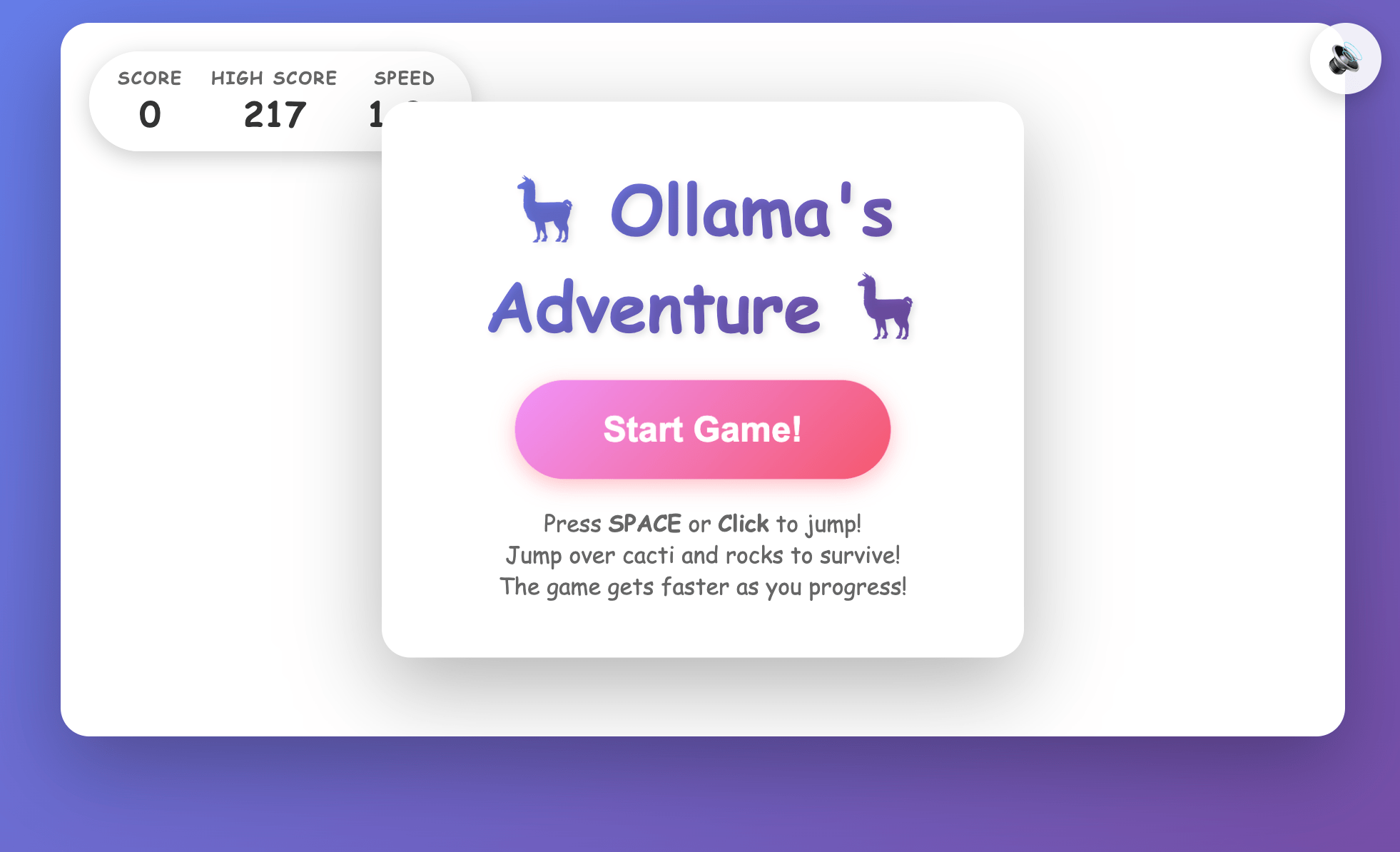
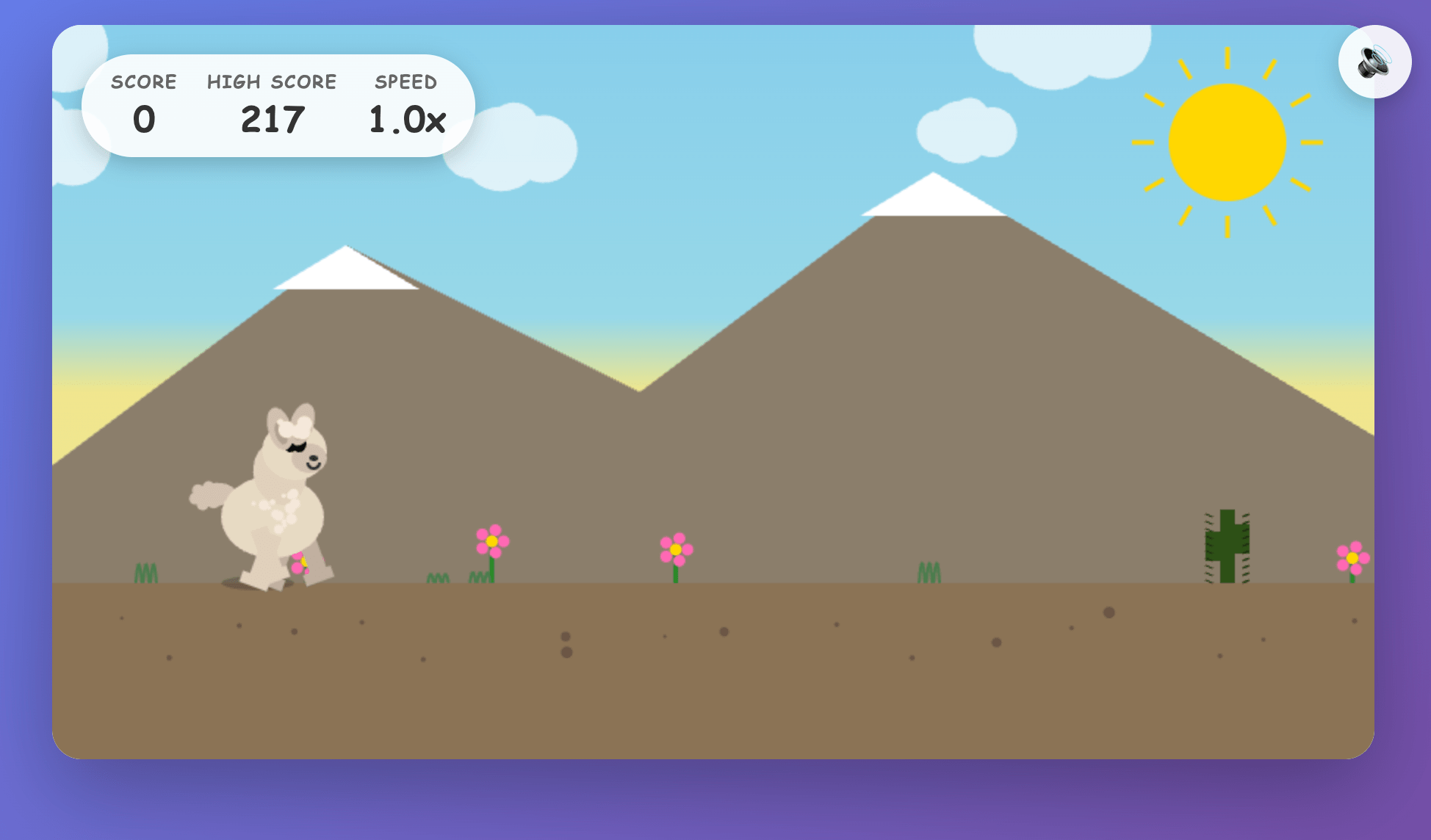
Example code by GLM-4.6 in a single prompt
Usage with VS Code
First, pull the coding models so they can be accessed via VS Code:
ollama pull glm-4.6:cloud
ollama pull qwen3-coder:480b-cloud
- Open the copilot chat sidebar
- Select the model dropdown → Manage models
- Click on Ollama under Provider Dropdown, then select desired models
- Select the model dropdown → and choose the model (e.g.
glm-4.6)
Usage with Zed
First pull the coding models so they can be accessed via Zed:
ollama pull glm-4.6:cloud
ollama pull qwen3-coder:480b-cloud
Then, open Zed (now available for Windows!)
- Click on the agent panel button (glittering stars)
- Click on the model dropdown → Configure
- Select LLM providers → Ollama
- Confirm the Host URL is
http://localhost:11434, then click Connect
- Select a model under Ollama
Usage with Droid
First, install Droid:
curl -fsSL https://app.factory.ai/cli | sh
Add the following configuration to ~/.factory/config.json:
{
  "custom_models": [
    {
      "model_display_name": "GLM-4.6",
      "model": "glm-4.6:cloud",
      "base_url": "http://localhost:11434/v1",
      "api_key": "not-needed",
      "provider": "generic-chat-completion-api",
      "max_tokens": 16384
    },
    {
      "model_display_name": "Qwen3-Coder-480B",
      "model": "qwen3-coder:480b-cloud",
      "base_url": "http://localhost:11434/v1",
      "api_key": "not-needed",
      "provider": "generic-chat-completion-api",
      "max_tokens": 16384
    }
  ]
}
Then run Droid and type /model to change to the model:
╭──────────────────────────────────────────────────╮
│ > GLM-4.6 [current]                              │
│   Qwen3-Coder-480B                               │
│                                                  │
│ ↑/↓ to navigate, Enter to select, ESC to go back │
╰──────────────────────────────────────────────────╯
Integrations
Ollama’s documentation now includes sections on using Ollama with popular coding tools:
Cloud API access
Cloud models such as glm-4.6 and qwen3-coder:480b can also be accessed directly via ollama.com’s cloud API:
First, create an API key, and set it in your environment
export OLLAMA_API_KEY="your_api_key_here"
Then, call ollama.com’s API
curl https://ollama.com/api/chat \
    -H "Authorization: Bearer $OLLAMA_API_KEY" \
    -d '{
    "model": "glm-4.6",
    "messages": [{
      "role": "user",
      "content": "Write a snake game in HTML."
    }]
}'
For more information see the Ollama’s API documentation.
 Instagram Engineering
 Shopify Engineering