Cloud models are now in preview, letting you run larger models with fast, datacenter-grade hardware. You can keep using your local tools while running larger models that wouldn’t fit on a personal computer. Ollama’s cloud does not retain your data to ensure privacy and security.
The same Ollama experience is now seamless across both local and in the cloud, integrating with the existing tools you already use. Ollama’s cloud models also work via Ollama’s OpenAI-compatible API.
Get started
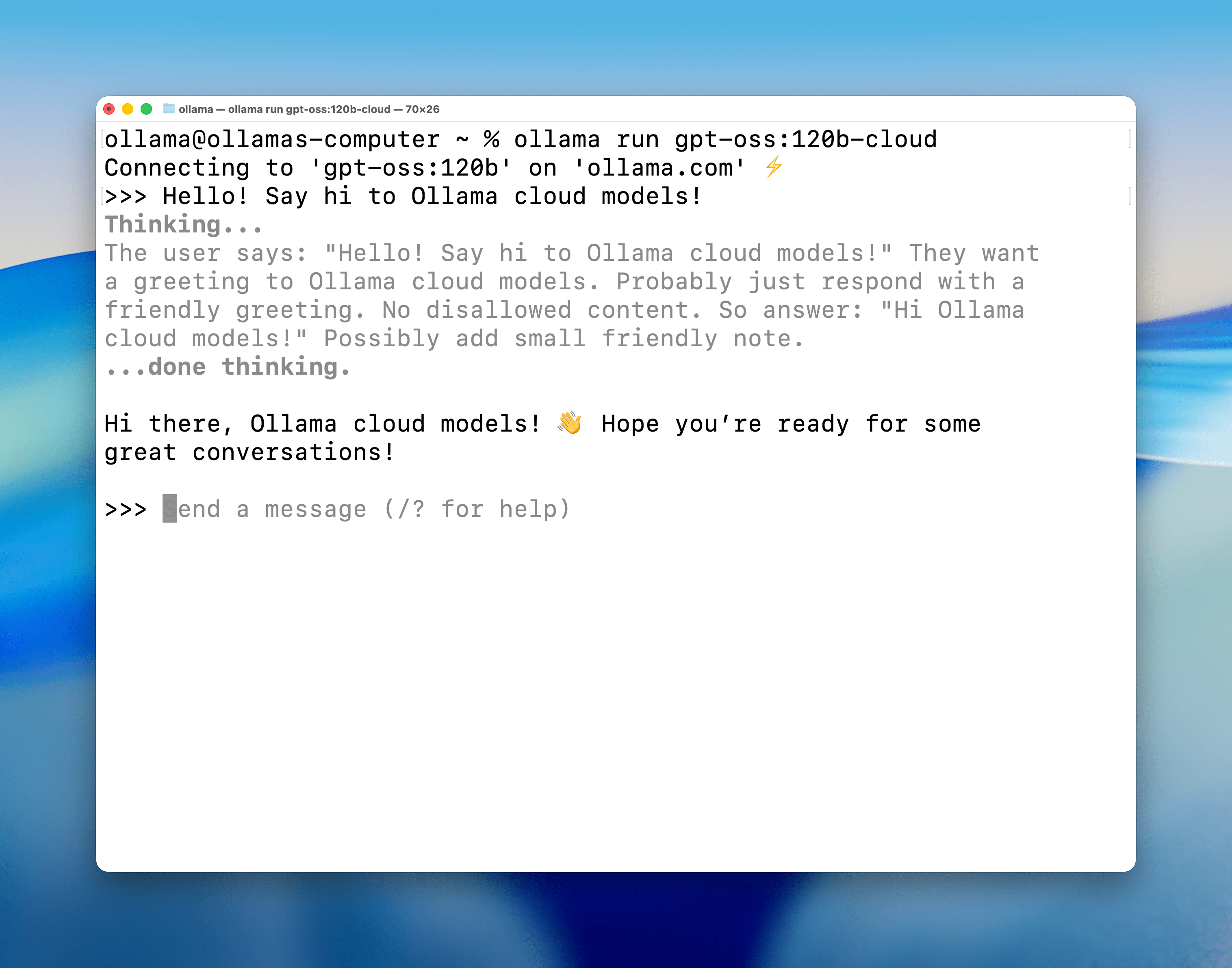
Download Ollama v0.12, then open a terminal and run a cloud model:
ollama run qwen3-coder:480b-cloud
Available models
qwen3-coder:480b-cloudgpt-oss:120b-cloudgpt-oss:20b-clouddeepseek-v3.1:671b-cloud
Usage
Cloud models behave like regular models. For example, you can ls, run, pull, and cp them as needed:
% ollama ls
NAME                      ID            SIZE        MODIFIED
gpt-oss:120b-cloud        569662207105  -           5 seconds ago
gpt-oss:20b-cloud         875e8e3a629a  -           1 day ago
deepseek-v3.1:671-cloud   d3749919e45f  -           2 days ago
qwen3-coder:480b-cloud    11483b8f8765  -           2 days ago
Usage in Ollama’s API
JavaScript
First, install Ollama’s JavaScript library:
npm install ollama
Next, pull a cloud model:
ollama pull gpt-oss:120b-cloud
Once the model is available locally, run it using JavaScript:
import ollama from "ollama";

const response = await ollama.chat({
  model: "gpt-oss:120b-cloud",
  messages: [{ role: "user", content: "Why is the sky blue?" }],
});
console.log(response.message.content);
Python
Download Ollama’s Python library
pip install ollama
Next, pull a cloud model:
ollama pull gpt-oss:120b-cloud
Once the model is available locally, run it using Python:
import ollama
response = ollama.chat(model='gpt-oss:120b-cloud', messages=[
  {
    'role': 'user',
    'content': 'Why is the sky blue?',
  },
])
print(response['message']['content'])
cURL
Pull a cloud model:
ollama pull gpt-oss:120b-cloud
Next, call Ollama’s API to run the model
curl http://localhost:11434/api/chat -d '{
  "model": "gpt-oss:120b-cloud",
  "messages": [{
    "role": "user",
    "content": "Why is the sky blue?"
  }],
  "stream": false
}'
Signing in and out
Cloud models use inference compute on ollama.com and require being signed in to ollama.com:
ollama signin
To stay signed out, run:
ollama signout
Cloud API access
Cloud models can also be accessed directly via ollama.com’s API.
 Instagram Engineering
 Shopify Engineering