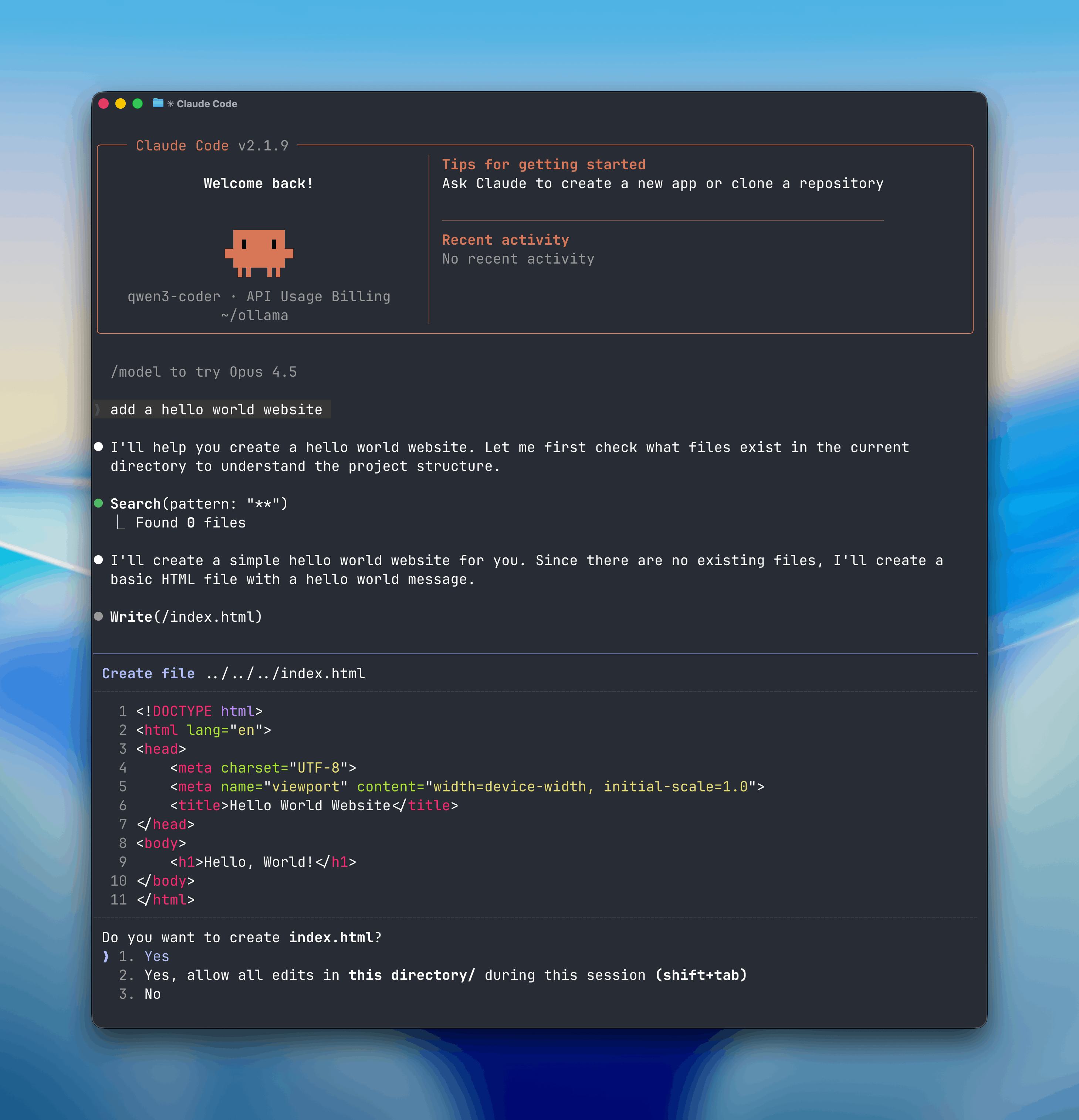
Ollama v0.14.0 and later are now compatible with the Anthropic Messages API, making it possible to use tools like Claude Code with open-source models.
Run Claude Code with local models on your machine, or connect to cloud models through ollama.com.
Using Claude Code with Ollama
Claude Code is Anthropic’s agentic coding tool that lives in your terminal. With Anthropic API support, you can now use Claude Code with any Ollama model.
Get started
Install Claude Code
macOS, Linux, WSL:
curl -fsSL https://claude.ai/install.sh | bash
Windows PowerShell:
irm https://claude.ai/install.ps1 | iex
Windows CMD:
curl -fsSL https://claude.ai/install.cmd -o install.cmd && install.cmd && del install.cmd
Connect Ollama
Configure environment variables to use Ollama:
export ANTHROPIC_AUTH_TOKEN=ollama
export ANTHROPIC_BASE_URL=http://localhost:11434
Run Claude Code with an Ollama model:
claude --model gpt-oss:20b
Models in Ollama’s Cloud also work with Claude Code:
claude --model glm-4.7:cloud
It is recommended to run a model with at least 32K tokens context length.
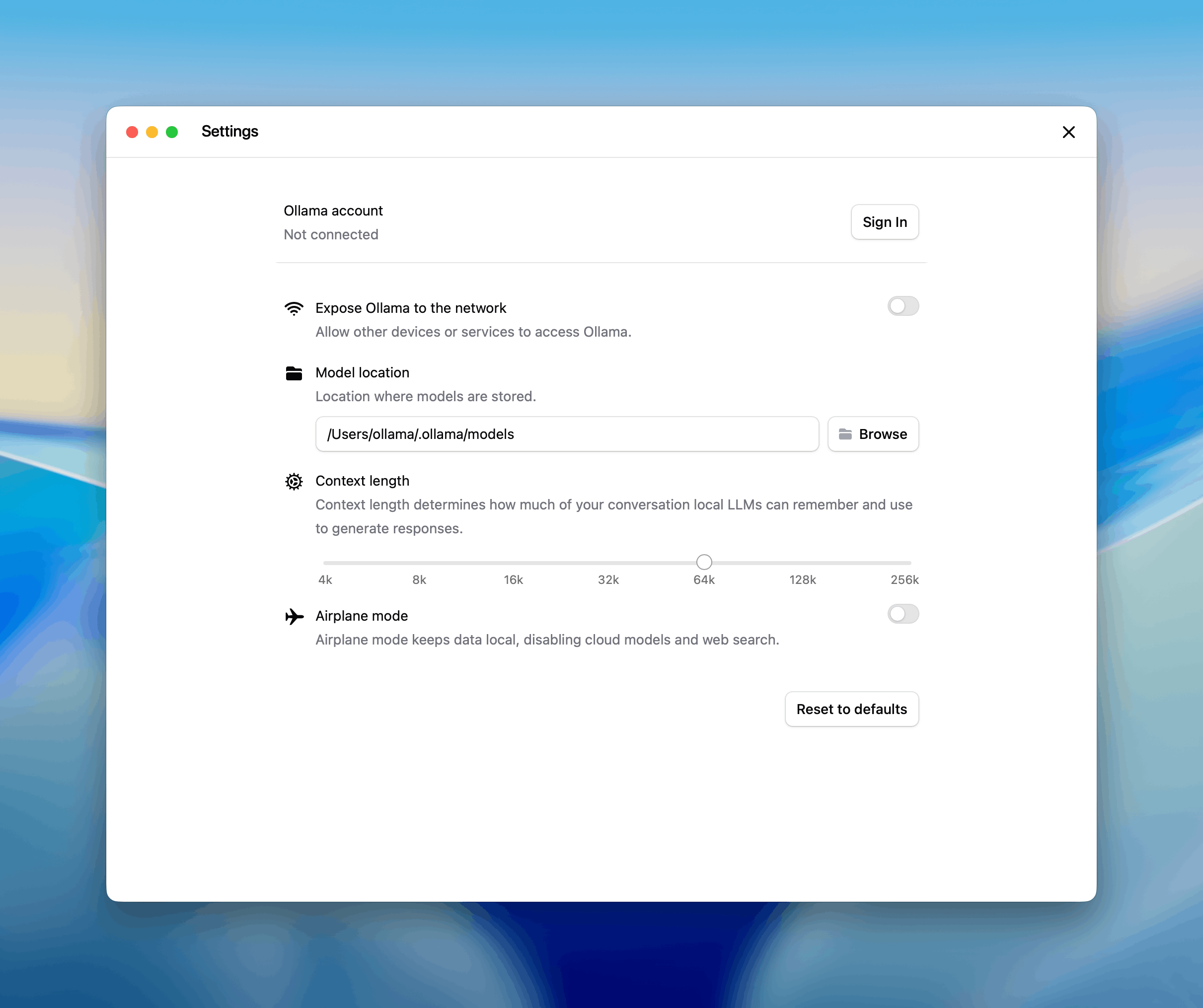
For more information, please see context length documentation on how to make changes.
Ollama’s cloud models always run at their full context length.
Recommended models
For coding use cases with Claude Code:
Local models:
Cloud models:
glm-4.7:cloud
minimax-m2.1:cloud
Using the Anthropic SDK
Existing applications using the Anthropic SDK can connect to Ollama by changing the base URL. See the Anthropic compatibility documentation for details.
Python
import anthropic

client = anthropic.Anthropic(
    base_url='http://localhost:11434',
    api_key='ollama',  # required but ignored
)

message = client.messages.create(
    model='qwen3-coder',
    messages=[
        {'role': 'user', 'content': 'Write a function to check if a number is prime'}
    ]
)
print(message.content[0].text)
JavaScript
import Anthropic from '@anthropic-ai/sdk'

const anthropic = new Anthropic({
  baseURL: 'http://localhost:11434',
  apiKey: 'ollama',
})

const message = await anthropic.messages.create({
  model: 'qwen3-coder',
  messages: [{ role: 'user', content: 'Write a function to check if a number is prime' }],
})

console.log(message.content[0].text)
Tool calling
Models can use tools to interact with external systems:
import anthropic

client = anthropic.Anthropic(
    base_url='http://localhost:11434',
    api_key='ollama',
)

message = client.messages.create(
    model='qwen3-coder',
    tools=[
        {
            'name': 'get_weather',
            'description': 'Get the current weather in a location',
            'input_schema': {
                'type': 'object',
                'properties': {
                    'location': {
                        'type': 'string',
                        'description': 'The city and state, e.g. San Francisco, CA'
                    }
                },
                'required': ['location']
            }
        }
    ],
    messages=[{'role': 'user', 'content': "What's the weather in San Francisco?"}]
)

for block in message.content:
    if block.type == 'tool_use':
        print(f'Tool: {block.name}')
        print(f'Input: {block.input}')
Supported features
- Messages and multi-turn conversations
- Streaming
- System prompts
- Tool calling / function calling
- Extended thinking
- Vision (image input)
For a complete list of supported features, see the Anthropic compatibility documentation.
Learn more
For more detailed setup instructions and configuration options, see the Claude Code guide.
 Instagram Engineering
 Shopify Engineering