FoxDev Studio
DocumentationHow it is builtFoxScriptDownloadGitHub
For Visual FoxPro 9 applications
Your FoxPro applications, at home on a modern machine.
FoxDev Studio opens the projects, forms and tables you already have and runs them the way you remember: no rewrite, no conversion, no export step.
CustomerCompanyWestern Trading Co.Credit limit25,000.00Save
It picks up where you left off
Point it at a folder you have not opened in years, and what is there is what you get.
Your project, as it is
Projects, forms, class libraries, menus and reports open straight from the files you already have. Nothing is migrated first, and nothing is left behind.
The designers you know
Forms, classes, menus and reports are edited where you expect them to be, alongside the project manager, the Command Window and a debugger that stops on your line.
Your data stays your data
Tables, indexes, memos and databases are read and written in place. What sits on disk afterwards is the same kind of file it was before.
Whatever it talked to, it still talks to
The system calls, the automation objects and the old add-in libraries your application leans on keep working, so the parts nobody wants to touch stay untouched.
What it looks like
The IDE, on Visual FoxPro's own sample projects. Every picture is a real session.
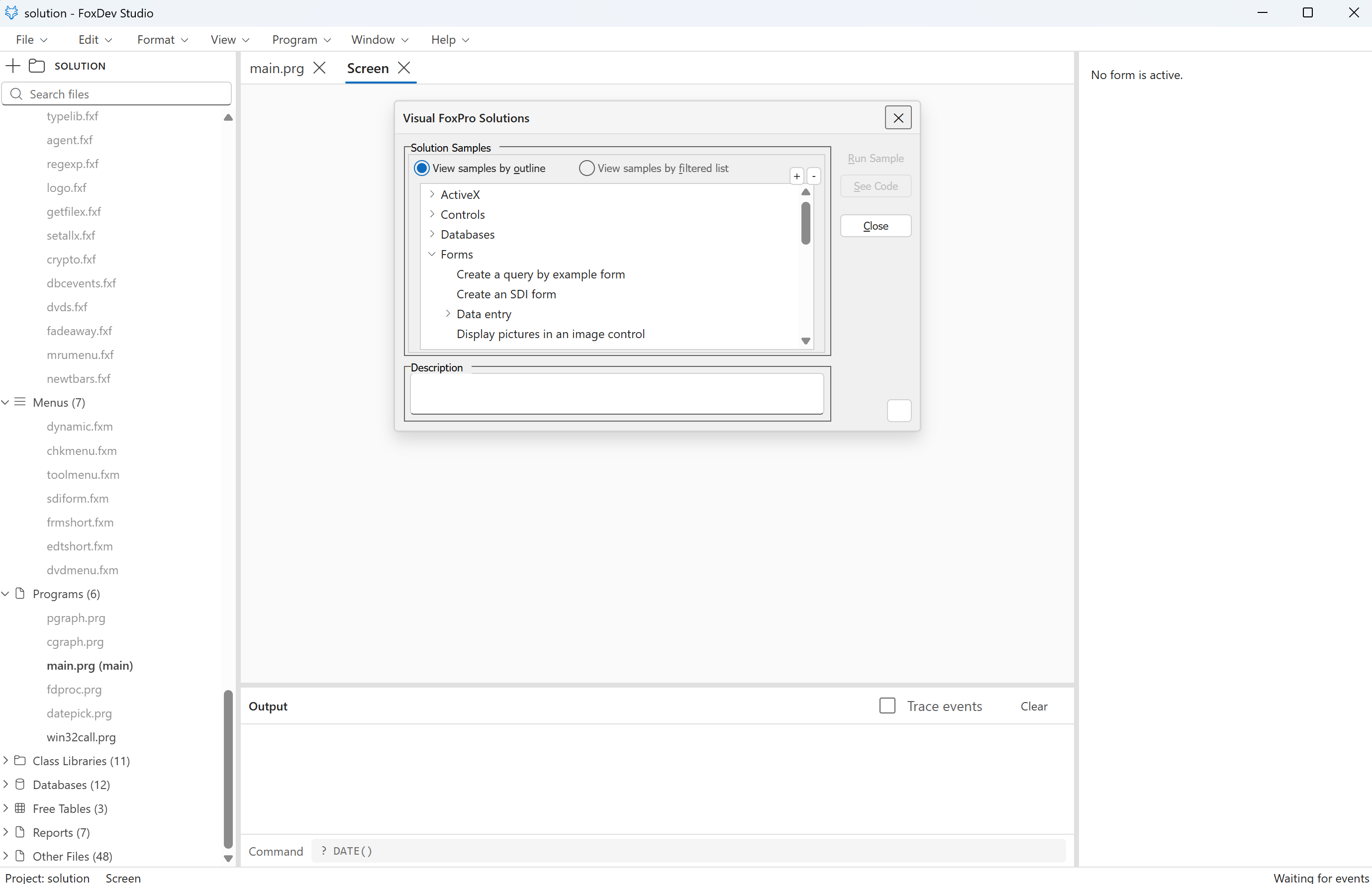
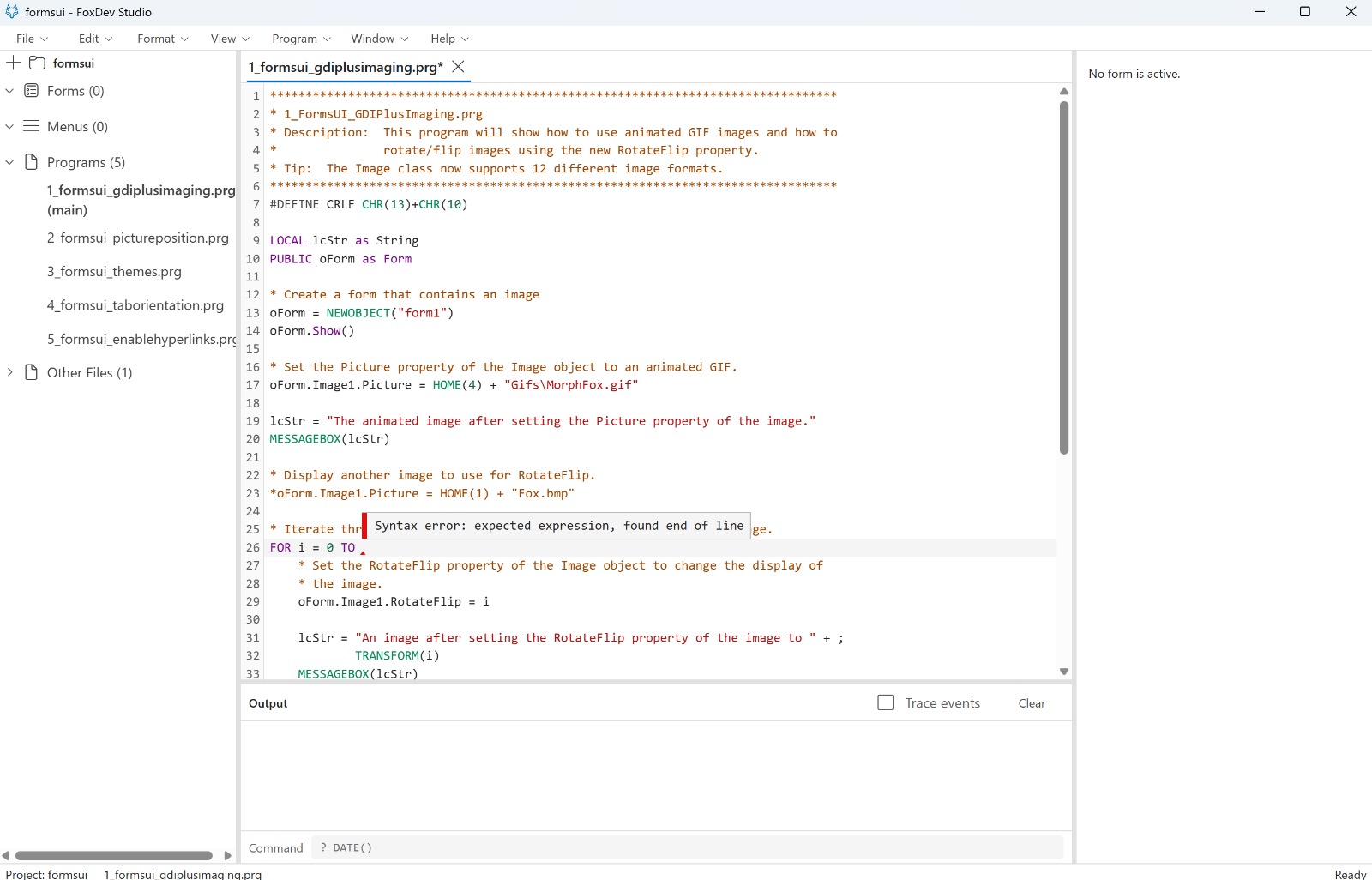
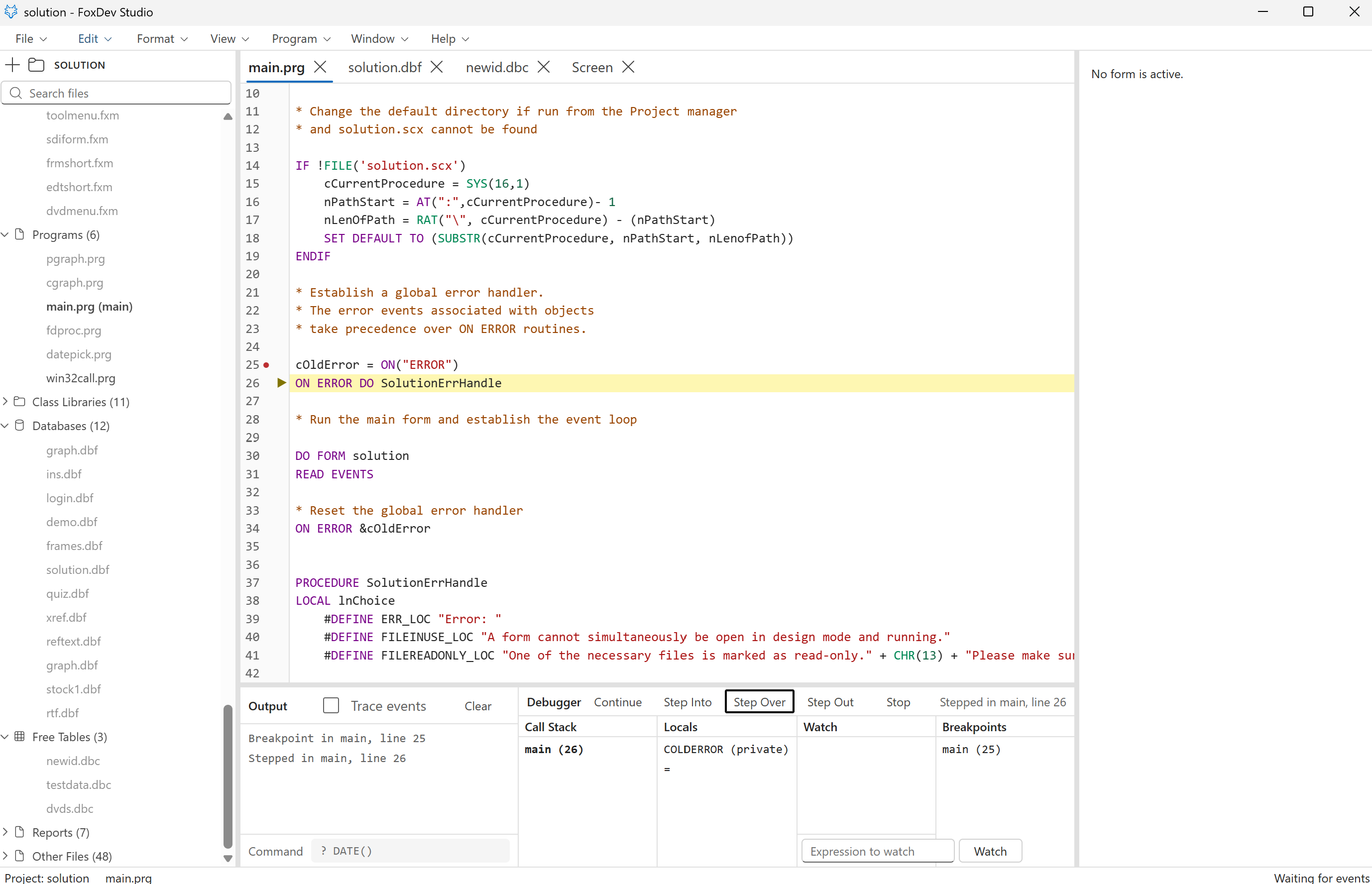
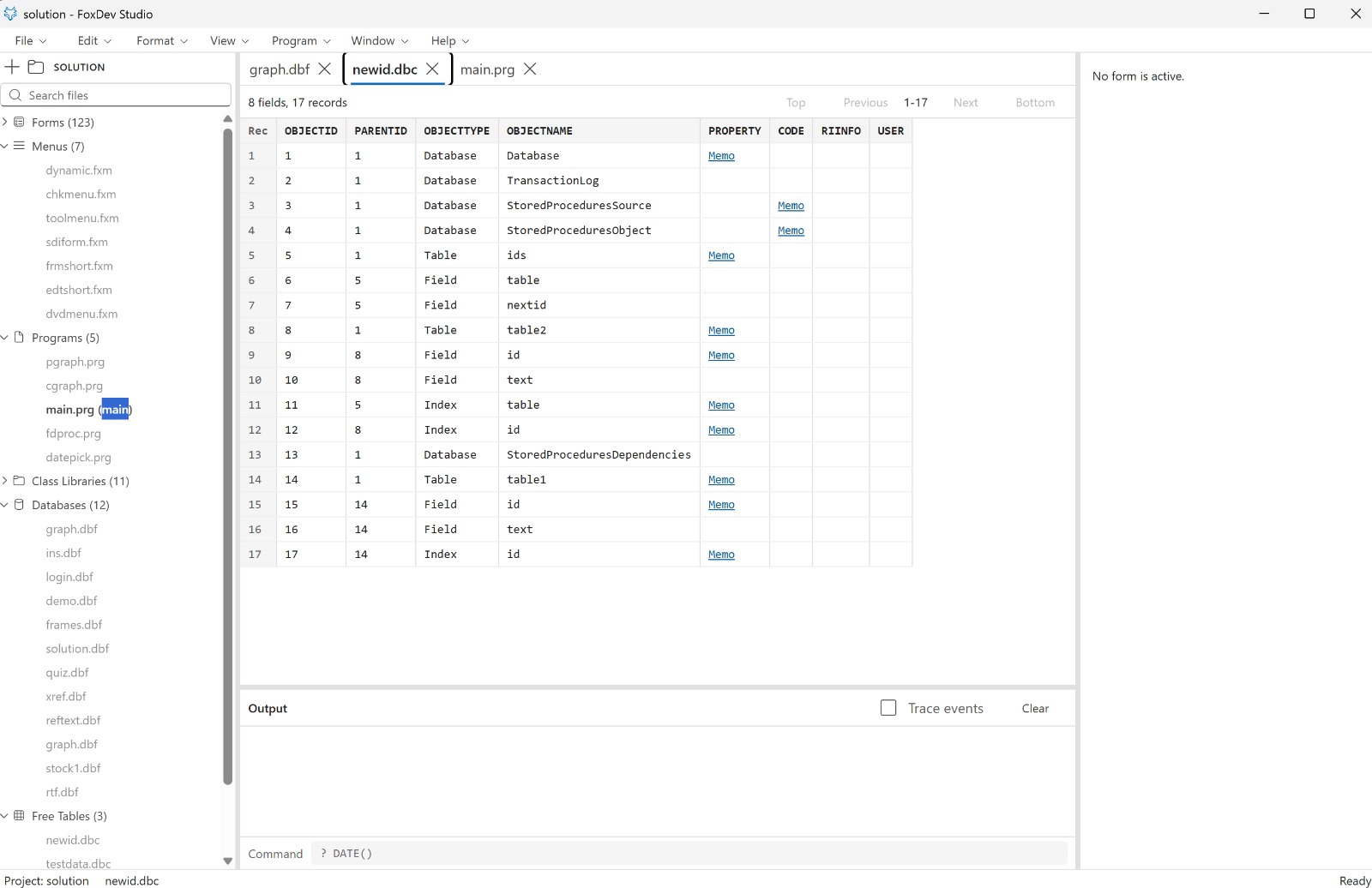
Built to match, not to approximate
Small differences are what break an old application: a number printed a column too wide, an event arriving a moment late, an error with the wrong number on it. So behaviour here is settled by asking Visual FoxPro itself and matching its answer, rather than by reading a reference page and hoping.
What comes out of that is a runtime written from scratch: quick to start, self-contained, and straightforward about the corners it has not reached yet.
1,722elements of the Visual FoxPro 9 language reference known to the runtime
1,534of them exercised by a test that compares the answer with the product's
3names it has not met yet; everything else runs, is ignored on purpose, or is refused by name
What Visual FoxPro 10 would have been
Visual FoxPro stopped at version 9, and at 32 bits. This is the same language, rebuilt on a foundation that has not been frozen since 2007. Four pieces are what make that possible.
Where a call goes/and where the 32-bit world stops
64-BIT32-BITThe form on screenReact, drawing straight from the tree belowrepaints one control, not the formThe live object treeevery control, with its properties and its eventsTHISFORM.lblGreeting.Caption = cMsgThe virtual machineyour code, compiled to bytecode, run in WebAssemblyyields a request, never blocksThe hostfiles, tables, COM, and 64-bit libraries in processSET LIBRARY TOfllhost.exea 32-bit process, holding your .fll
64-bit, end to end
The ceiling that came with 32 bits is gone
Visual FoxPro is a 32-bit program, and that decides more than it appears to. It is why a table stops at two gigabytes, why a memo file stops at two gigabytes, and why a big report runs out of memory on a machine with plenty to spare. The limits are signed 32-bit numbers buried in the file handling, not a licensing decision anybody made.
FoxDev Studio is 64-bit throughout. Every file offset is 64-bit and a table is never read into memory at all, so the same .dbf that used to stop dead carries on into the hundreds of gigabytes. One thing to know before you lean on it: a table grown past two gigabytes will not open in Visual FoxPro again. If you still work in both, that is a one-way door.
The offset/and what it reaches
Visual FoxPro2,147,483,647bytes: the table stops at 2 GBthe leading bit carries the sign, which is why it is 2 GB and not 4FoxDev Studio9,223,372,036,854,775,807bytes: the offset is never what stopsevery byte of every read and write is addressed this wayWhat that buys one tableEvery square below is 2 GB: the whole of what a Visual FoxPro table could hold.2 GB279 squares: one FoxDev table of 130-byte records, 558 GB.At 1 KB records it reaches 4.4 TB, which is 2,200 of them.what stops it now is the DBF header's own record count
The virtual machine
A compiler, and a machine built to run what it makes
Visual FoxPro compiled your program to p-code and shipped a runtime to execute it. This is the same arrangement, made again: a compiler and a bytecode interpreter written in Rust and compiled to WebAssembly, so one machine runs your code wherever the application runs. The editor checks what you type through that very compiler, so what it underlines and what the runtime refuses cannot drift apart.
A running program is a fiber. When it needs something from the world outside (a message box, a modal form, the next record) it does not call out and block; it yields, the work is done while the machine is off the stack, and the answer is handed back. That is why MESSAGEBOX() stops your program without freezing the window behind it, why READ EVENTS waits without spinning, and whySetFocus can fire GotFocus, and Init can run while a form is still being built, in the order FoxPro always did it.
How the machine works and what it runs.
The screen
The form you see is the object tree, not a picture of it
A running form is a live tree of objects with the properties you would expect, and the interface is drawn straight from that tree by React. Each object watches only itself, so THISFORM.lblGreeting.Caption = cMsg repaints one label rather than the whole form. On a dense screen that is the difference between instant and sluggish.
The same tree is what the designer edits, one step earlier. There is no second model kept in step with the first, which is the usual place a form and its designer start telling different stories.
The 32-bit bridge
Your old libraries still load, though nothing here is 32-bit
An .fll is a 32-bit image, and every process in a 64-bit application is 64-bit, so nothing inside the application itself could ever open one. Rather than tell you it is impossible, SET LIBRARY TO starts a small 32-bit process whose only job is to hold your library, and the runtime talks to it. The calls are synchronous, because a program may call into a library halfway through an expression, and an answer that arrived later would not be an answer. It is measured against real libraries: the encryption library, FoxTools, and libraries built from Microsoft's own API samples.
Nothing 64-bit needs the bridge: DECLARE ... DLL reaches a modern library in the same process, and automation objects are reached the way they always were. The old road stays open; it just is not the only one any more.
FoxScript: the same language, with more room
Everything you have written still means what it always meant. FoxScript only adds on top: a block you can hand to something else to run later, and a way to answer a web request from the code that already knows your business.
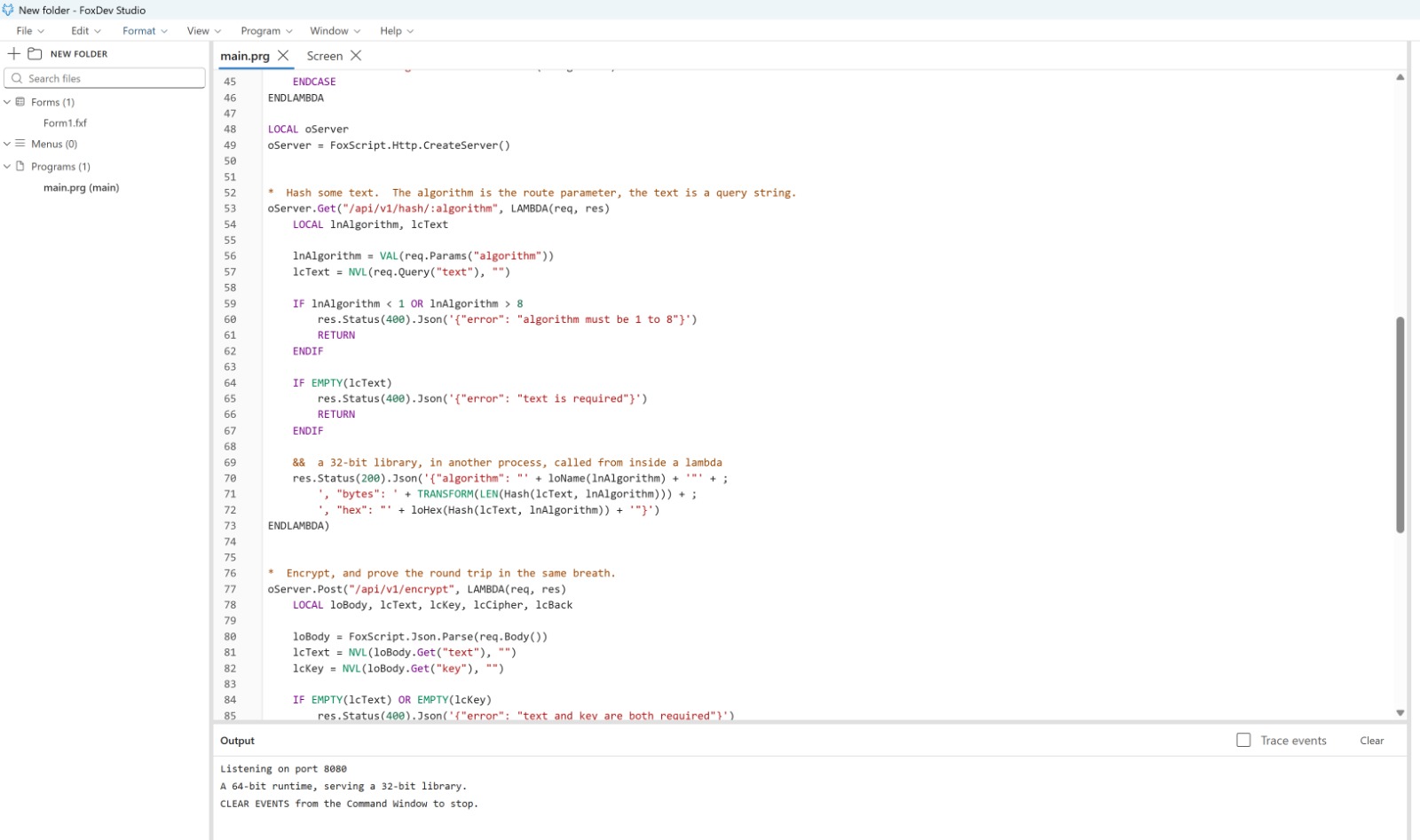
server.prg/FoxScript
Every line of that runs on the same runtime your forms do. The queries, the cursor and the library call are ordinary FoxPro; the lambda and the server are what FoxScript adds: no second language, no service to stand up beside it.The keywords and the HTTP APIare each written down in full.
Download
The nightly is rebuilt from every push to main and published as a pre-release on GitHub. Unsigned, so the first launch asks you to confirm.
WindowsThe installer (.exe) and the runtime (.zip), x64.Ubuntu and other LinuxAn AppImage and a .deb, x64.Source, on GitHubFoxDevCommunity/FoxDevStudio: the IDE, the VM, this site, and every release.
Read the documentation
Each part of the product is written down, including the parts that are not there yet.
OverviewWhat FoxDev Studio is, and where each part of it is described.Getting startedInstall the IDE, open a project, run a form, ship an executable.Required toolingWhat you need to run the IDE, and what you need to build it from source.The virtual machineFibers, host requests, and why the VM never blocks.BytecodeThe module format, how a program compiles, and what a frame holds.Instruction referenceEvery instruction with its operands and stack effect, generated from the VM source.The new keywordsLAMBDA, ENDLAMBDA, the FoxScript namespace and two new value types.The HTTP APIFoxScript.Http, the Node side of it, and why it is shaped this way.
What is coming
Work already mapped out, roughly in the order it is being built.
The last of the languageA short list of corners is still open, each one checked against the original as it closes.
ReportsThe report designer and the report engine, band by band, measured the same way the rest was.
Tables past two gigabytes, as a format of their ownThe 64-bit offsets are there today; a container that is honest about the DBF header's limits comes next.
An installer for what you shipYour application handed to the people who use it as a single thing they can run, with nothing to set up first.
 Instagram Engineering
 Shopify Engineering